

Managing one lead generation campaign is relatively straightforward. Managing multiple campaigns for different clients, industries, locations, budgets, and sales goals is a completely different challenge.
For digital marketing agencies in India, the difficulty increases as the client portfolio grows. One client may need Google Ads for high-intent searches, another may depend on Meta lead campaigns, while a third may require LinkedIn or a combination of paid advertising, landing pages, CRM automation, and remarketing.
Without a structured system, agencies can quickly end up dealing with inconsistent campaign optimization, missed follow-ups, unclear reporting, budget leakage, and communication problems.
The solution is not simply hiring more people. Agencies need a repeatable lead generation campaign management process that makes every campaign easier to launch, monitor, optimize, and report.
This guide explains how agencies can manage multiple lead generation campaigns efficiently while maintaining campaign quality and client satisfaction.
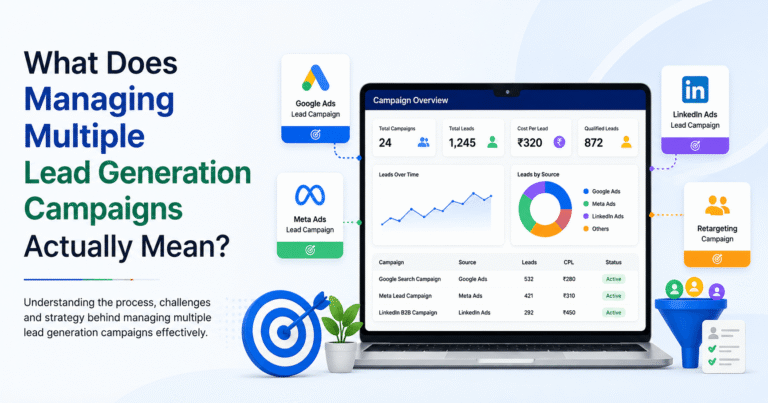
What Does Managing Multiple Lead Generation Campaigns Actually Mean?
Managing multiple lead generation campaigns means planning, launching, monitoring, optimizing, and reporting on several campaigns simultaneously while keeping each client’s objectives, audience, budget, messaging, and conversion goals separate.
For example, a digital marketing agency might manage:
- Google Ads lead generation campaigns
- Meta lead generation campaigns
- LinkedIn lead generation campaigns
- Landing page campaigns
- Remarketing campaigns
- Local lead generation campaigns
- B2B lead generation campaigns
- Ecommerce enquiry campaigns
- Healthcare lead generation campaigns
- Real estate lead campaigns
- SaaS demo campaigns
Each campaign can have different KPIs.
A real estate client may care about qualified property enquiries, while a SaaS company may focus on demo bookings. A local service business may prioritize phone calls and WhatsApp enquiries.
Therefore, successful multi-campaign management requires standardization without treating every client exactly the same.
Why Managing Multiple Lead Generation Campaigns Becomes Difficult
The challenge is rarely the number of campaigns alone. The bigger issue is the number of decisions an agency needs to make across different accounts.
1. Different Clients Have Different Objectives
Not every lead is equally valuable.
One client may want maximum lead volume. Another may prefer fewer but higher-quality leads.
Before launching or optimizing a campaign, agencies should define:
- Primary conversion
- Target audience
- Geographic location
- Monthly advertising budget
- Target cost per lead
- Lead qualification criteria
- Sales process
- Expected lead volume
- Reporting requirements
Google recommends building campaigns around clear objectives rather than creating unnecessary campaign structures.
2. Campaign Data Is Spread Across Multiple Platforms
Agencies may need to monitor data from:
- Google Ads
- Meta Ads
- LinkedIn Ads
- Google Analytics
- Google Tag Manager
- CRM systems
- Call tracking
- Landing pages
- Lead forms
- Email automation platforms
Checking each platform independently makes it difficult to understand the complete customer journey.
3. Every Client Has a Different Budget
A campaign spending ₹500 per day should not be managed in exactly the same way as one spending ₹10,000 per day.
Budget allocation should reflect:
- Campaign performance
- Lead quality
- Conversion rate
- Business value
- Seasonality
- Client priorities
- Testing requirements
Google specifically recommends allocating more budget toward campaigns that perform well and contribute to business goals while reducing spend on lower-performing or experimental campaigns.
4. Client Communication Can Become a Bottleneck
When agencies manage several clients, communication itself becomes a campaign-management task.
Clients may ask:
- How many leads did we generate?
- Why did CPL increase?
- Which campaign is performing best?
- Why did lead volume fall?
- Are we targeting the right audience?
- How much budget remains?
- What are you changing this week?
Without standardized reporting and communication, account managers can spend more time explaining campaign data than optimizing campaigns.
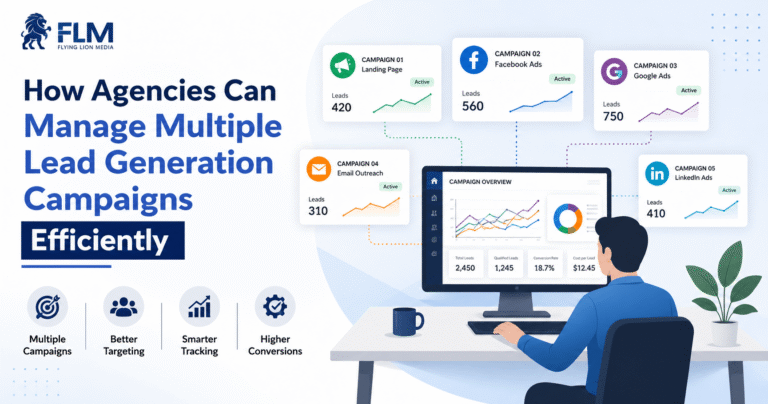
How Agencies Can Manage Multiple Lead Generation Campaigns Efficiently
The most effective approach is to build a repeatable campaign management framework.
Instead of creating a completely new workflow for every client, agencies should standardize the operational process while customizing the strategy.
1. Start With a Clear Campaign Brief
Before launching any campaign, create a standardized campaign brief.
The brief should capture:
Client information
- Business name
- Industry
- Website
- Target locations
- Products or services
- Primary competitors
Campaign information
- Campaign objective
- Target audience
- Monthly budget
- Offer
- Landing page
- Conversion action
- Expected launch date
Lead qualification
- What qualifies as a good lead?
- Which locations are acceptable?
- What company size is relevant?
- What buying intent is required?
- Who handles the sales follow-up?
This prevents important information from being buried inside emails or WhatsApp conversations.
2. Create a Standardized Campaign Naming System
A consistent naming convention becomes extremely valuable when managing dozens of campaigns.
For example:
Client – Platform – Objective – Location – Audience – Month
A campaign could be named:
ABC – Google – Leads – Ahmedabad – B2B – Sep26
Another might be:
XYZ – Meta – Leads – India – Retargeting – Sep26
A standardized naming structure makes campaigns easier to filter, analyze, report, and troubleshoot.
Google Ads provides manager-account functionality that allows agencies to view campaign performance across client accounts and use filters and segments to focus on specific campaigns.
3. Separate Strategy From Execution
Your strategist should not spend the entire day manually checking every small campaign change.
Create different levels of responsibility.
Strategy
Responsible for:
- Campaign objectives
- Audience strategy
- Budget strategy
- Offer positioning
- Channel selection
- Testing roadmap
Execution
Responsible for:
- Campaign setup
- Ad changes
- Keyword management
- Audience updates
- Creative deployment
- Landing page updates
Optimization
Responsible for:
- Performance analysis
- Budget adjustments
- Search-term analysis
- Lead-quality review
- Conversion tracking
- Testing
Account Management
Responsible for:
- Client communication
- Reporting
- Approvals
- Timelines
- Expectations
This division reduces dependency on a single person.
4. Use a Central Campaign Dashboard
When managing multiple lead generation campaigns, agencies should have one central place to understand campaign status.
A useful dashboard can track:
Metric | What It Shows |
Spend | Advertising investment |
Impressions | Campaign visibility |
Clicks | Traffic generated |
CTR | Ad engagement |
Leads | Total conversions |
CPL | Cost per lead |
Lead Quality | Sales potential |
Conversion Rate | Landing-page/ad effectiveness |
Qualified Leads | Sales-ready enquiries |
Sales | Business outcome |
The most important point is that lead volume should not be the only KPI.
If Campaign A produces 200 leads but only 5 qualified opportunities while Campaign B produces 50 leads and 15 qualified opportunities, Campaign B may be more valuable.
5. Organize Campaigns by Priority
Not every campaign requires the same amount of attention every day.
A practical agency system is:
Priority A — High-value campaigns
Monitor frequently.
Examples:
- High-budget campaigns
- Lead-generating campaigns
- Campaigns with major CPL changes
- Campaigns close to monthly budget limits
- Campaigns experiencing tracking issues
Priority B — Stable campaigns
Review on a scheduled basis.
These campaigns are performing within acceptable ranges and generally require controlled optimization.
Priority C — Testing campaigns
Monitor primarily for learning.
These may include:
- New audiences
- New creatives
- New keywords
- New landing pages
- New offers
This prevents your team from spending equal amounts of time on campaigns that have completely different levels of business risk.
6. Build a Daily Campaign Monitoring Checklist
A standardized checklist makes campaign management more reliable.
Every day, the team can check:
- Is the campaign active?
- Is spending within the expected range?
- Are conversions being recorded?
- Has CPL changed significantly?
- Are there unusual traffic changes?
- Are ads disapproved?
- Are landing pages working?
- Are leads being received?
- Is lead quality changing?
- Is any campaign overspending?
The purpose of daily monitoring is not to make random changes.
It is to identify problems early.
7. Create a Weekly Optimization Process
Daily monitoring and weekly optimization should be different activities.
During the weekly optimization cycle, review:
Google Ads
- Search terms
- Keywords
- Match types
- Conversion data
- Location performance
- Device performance
- Ad performance
- Budget allocation
- Bid strategy performance
Meta Ads
- Creative performance
- Audience performance
- Placement performance
- Frequency
- Lead quality
- Cost per result
- Form completion
- Campaign-level trends
Landing Pages
- Conversion rate
- Form completion
- Bounce behavior
- Page speed
- Message-to-ad alignment
- CTA performance
Google also recommends keeping account structures relevant and avoiding unnecessary fragmentation.
8. Optimize Based on Lead Quality, Not Just CPL
One of the biggest mistakes agencies make is treating low CPL as the ultimate goal.
Suppose:
Campaign A
- Spend: ₹50,000
- Leads: 250
- CPL: ₹200
- Qualified leads: 10
Campaign B
- Spend: ₹50,000
- Leads: 100
- CPL: ₹500
- Qualified leads: 35
Campaign A looks better if you only measure CPL.
Campaign B may be much more valuable to the client.
Therefore, agencies should track:
Cost per lead → Cost per qualified lead → Opportunity rate → Sales
This creates a much stronger connection between advertising activity and business outcomes.
9. Connect Lead Generation With CRM Data
Lead generation should not end when someone submits a form.
The agency needs to understand what happens afterward.
A useful workflow is:
Ad → Landing Page → Lead Form → CRM → Qualification → Sales Follow-Up → Opportunity → Customer
CRM integration can help agencies identify which campaigns generate actual business opportunities rather than simply form submissions.
This is especially important for B2B lead generation, where sales cycles can be longer and raw lead volume can be misleading.
10. Standardize Landing Page Requirements
When managing multiple campaigns, agencies should use a consistent landing-page checklist.
Every landing page should clearly communicate:
- What is being offered
- Who the offer is for
- Why the visitor should trust the business
- What action they should take
- What happens after submitting the form
The landing page should also match the campaign message.
For example, if the advertisement promotes white label SEO services for agencies in India, the landing page should immediately reinforce that offer rather than sending visitors to a generic digital marketing page.
This message consistency can improve campaign relevance and make performance analysis easier.
11. Build Reusable Campaign Templates
Agencies should avoid rebuilding everything from scratch.
Create templates for:
- Campaign structures
- Naming conventions
- Audience research
- Keyword research
- Ad copy
- Landing pages
- Tracking
- Reporting
- Client onboarding
- Weekly optimization
- Campaign audits
Google Ads supports copying campaign structures and multiple campaign elements, although copied campaigns do not inherit historical performance data or bid-strategy learning.
Templates should therefore accelerate setup without replacing campaign-specific strategy.
12. Use a Campaign Change Log
Every significant campaign change should be documented.
For example:
Date | Client | Change | Reason | Expected Impact |
Sept 2 | Client A | Increased budget | Strong CPL | More volume |
Sept 3 | Client B | Paused keyword | Poor lead quality | Improve efficiency |
Sept 4 | Client C | Added creative | Testing | Improve CTR |
This creates accountability and makes performance analysis much easier.
If performance changes after an optimization, the team can look back and understand what happened.
13. Create a Standard Client Reporting System
Reports should answer three questions:
What happened?
Example:
Lead volume increased by 18% compared with the previous period.
Why did it happen?
Example:
Higher-performing search campaigns received additional budget while lower-quality traffic was reduced.
What happens next?
Example:
The team will test new ad messaging and continue monitoring qualified lead volume.
This is more useful than sending clients a dashboard filled with numbers without interpretation.
14. Use Automation for Repetitive Tasks
Automation can reduce operational workload.
Agencies can automate tasks such as:
- Reporting
- Lead notifications
- CRM updates
- Data synchronization
- Budget alerts
- Conversion notifications
- Task creation
- Client reminders
The objective is not to automate strategic decision-making completely.
Instead, automate repetitive work so your team has more time for analysis and optimization.
15. Establish a Clear Campaign Escalation System
Some issues need immediate attention.
Create predefined escalation rules.
For example:
Critical
- Tracking stopped
- Campaign stopped unexpectedly
- Landing page unavailable
- Major spend anomaly
- Account suspension
High Priority
- Significant CPL increase
- Lead quality decline
- Budget pacing issue
- Major conversion drop
Normal
- Creative testing
- Keyword expansion
- Audience refinement
- Routine optimization
This prevents your team from treating every notification as an emergency.
A Simple Multi-Campaign Workflow for Digital Marketing Agencies
A repeatable workflow could look like this:
Step 1: Client onboarding
Collect business, audience, budget, offer, tracking, and sales information.
↓
Step 2: Campaign strategy
Define objectives, channels, audiences, budget, and KPIs.
↓
Step 3: Campaign setup
Build campaigns, ads, landing pages, tracking, and CRM integrations.
↓
Step 4: Quality assurance
Check targeting, links, forms, tracking, budgets, and conversion events.
↓
Step 5: Launch
Activate campaigns and monitor initial delivery.
↓
Step 6: Daily monitoring
Check spend, delivery, conversions, errors, and major performance changes.
↓
Step 7: Weekly optimization
Analyze performance and make controlled improvements.
↓
Step 8: Lead-quality analysis
Compare generated leads with qualified leads and sales outcomes.
↓
Step 9: Client reporting
Communicate results, insights, challenges, and next actions.
↓
Step 10: Monthly strategy review
Evaluate performance and decide what to scale, test, reduce, or stop.
This system allows agencies to manage more campaigns without turning every client account into a separate operational process.
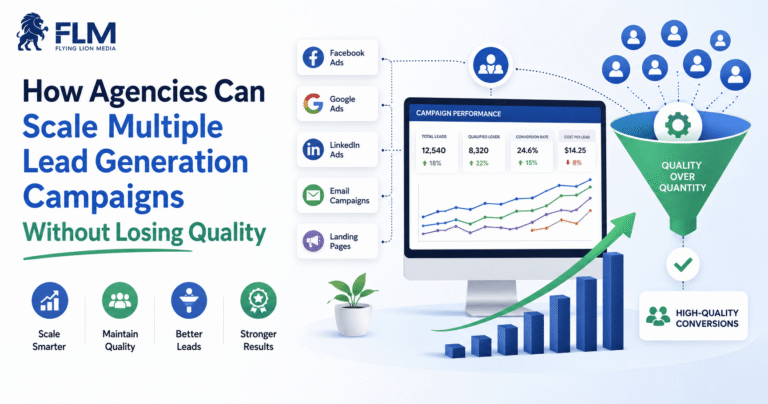
How Agencies Can Scale Multiple Lead Generation Campaigns Without Losing Quality
Effective Lead Generation Campaign Management for Agencies is not just about launching more campaigns across different channels. Scaling should not simply mean launching more campaigns.
A better approach is to improve the system behind the campaigns. Agencies need consistent processes for campaign planning, audience targeting, lead tracking, performance monitoring, reporting, and optimization. When these systems are structured properly, agencies can manage multiple campaigns more efficiently while maintaining lead quality, controlling costs, and delivering consistent results for clients.
Standardize what can be standardized
Use templates for:
- Onboarding
- Reporting
- Naming
- QA
- Tracking
- Campaign audits
- Client communication
Customize what actually matters
Keep flexibility around:
- Audience
- Offer
- Budget
- Messaging
- Conversion goals
- Sales process
- Optimization strategy
This creates the right balance between operational efficiency and strategic customization.
Google’s manager-account functionality is specifically designed to help advertisers such as agencies manage multiple client accounts from a centralized environment.
Common Mistakes Agencies Make When Managing Multiple Lead Generation Campaigns
Managing Every Campaign the Same Way
Different clients have different business models, audiences, and economics.
A B2B SaaS campaign should not necessarily be optimized using the same rules as a local home-service campaign.
Focusing Only on Cost Per Lead
Cheap leads are not automatically good leads.
Always connect campaign performance to lead quality and sales outcomes.
Making Too Many Changes at Once
If you change targeting, budget, creatives, landing page, and bidding simultaneously, it becomes difficult to understand what actually influenced performance.
Make controlled changes whenever possible.
Creating Too Many Campaigns
More campaigns do not automatically mean better performance.
Google recommends simplifying account structures where appropriate and consolidating campaigns when separate structures do not serve a meaningful purpose.
Reporting Activity Instead of Business Impact
Clients do not necessarily care that your team added 20 keywords.
They care about:
- Leads
- Qualified opportunities
- Sales
- Cost efficiency
- Growth
Your reporting should connect marketing activity to business outcomes.
When Should an Agency Consider White Label Lead Generation?
Managing multiple lead generation campaigns becomes increasingly complex as an agency takes on more clients.
At some point, the agency may face a choice:
Hire a larger in-house team or use a white label fulfillment partner.
White label lead generation can help agencies outsource campaign execution while keeping the client relationship and branding under their own agency.
It can be useful when an agency needs additional capacity for:
- Google Ads management
- Meta Ads management
- Landing page optimization
- Lead generation campaigns
- Campaign reporting
- Conversion tracking
- Lead qualification
- Campaign optimization
The important consideration is maintaining clear processes, communication, quality control, and client ownership.
White label fulfillment should extend an agency’s capabilities rather than create another layer of operational complexity.
How to Know Your Lead Generation Campaign Management Process Needs Improvement
Your current system may need improvement if:
- Campaign managers use different processes for every client.
- Reports are created manually every month.
- Nobody knows which campaigns need immediate attention.
- Lead quality is not tracked.
- Clients frequently ask for basic campaign updates.
- Campaign changes are not documented.
- Tracking problems are discovered late.
- Budget pacing is checked inconsistently.
- Account managers spend most of their time collecting data.
- The agency struggles to onboard new clients quickly.
These are usually process problems rather than purely advertising problems.
Conclusion
Managing multiple lead generation campaigns successfully requires more than knowing how to create advertisements.
It requires a repeatable operating system.
Agencies should standardize onboarding, campaign naming, reporting, quality assurance, monitoring, optimization, and communication while allowing strategy to remain customized for each client.
The strongest approach is to monitor more than lead volume. Track the complete journey from advertising spend to leads, qualified leads, opportunities, and ultimately business results.
As an agency grows, the goal should not be to make employees manually manage more campaigns every day. The goal should be to build systems that allow the team to manage campaigns more consistently, efficiently, and strategically.
For Indian digital marketing agencies looking to scale their client base, this operational approach can make the difference between simply running more campaigns and building a scalable lead generation service.